Run a Simple head-to-head match
4 min read
Simple is for two players and nothing else: a lunch-break match, a challenge match, or a quick practice set. There are no groups and no bracket, just one scoreboard and a running count of games won. (In Simple, the app calls each match a "game".)
It's on every plan, including Free, and it is the quickest way to see how scoring works in PingPong Arena.
Start — choose Simple and pick two players
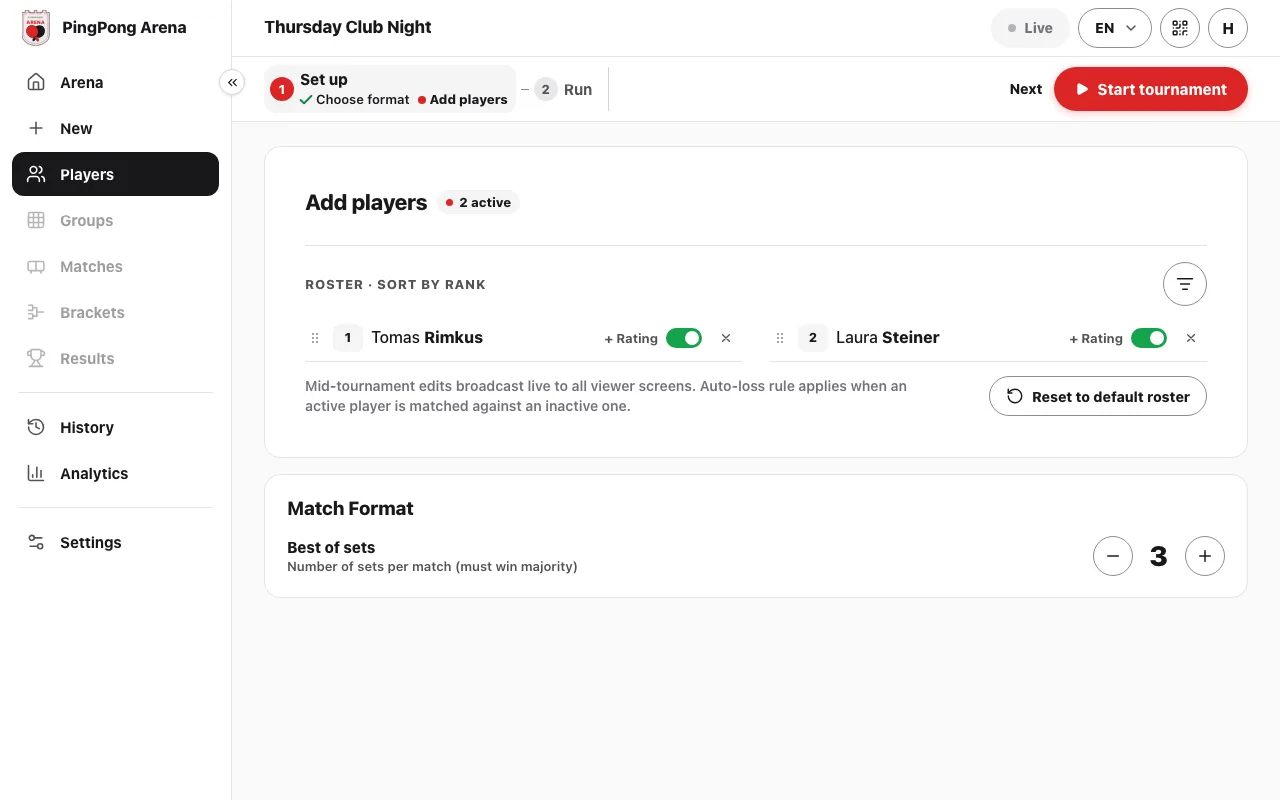
Open Arena and choose Simple ("One-on-one games"). The set-up is two steps: "Choose format" and "Add players". Add the two players, set "Best of sets" under the list (3 means first to two sets), and tap "Start tournament". The first game starts and its live board opens straight away.
Monitor — the head-to-head
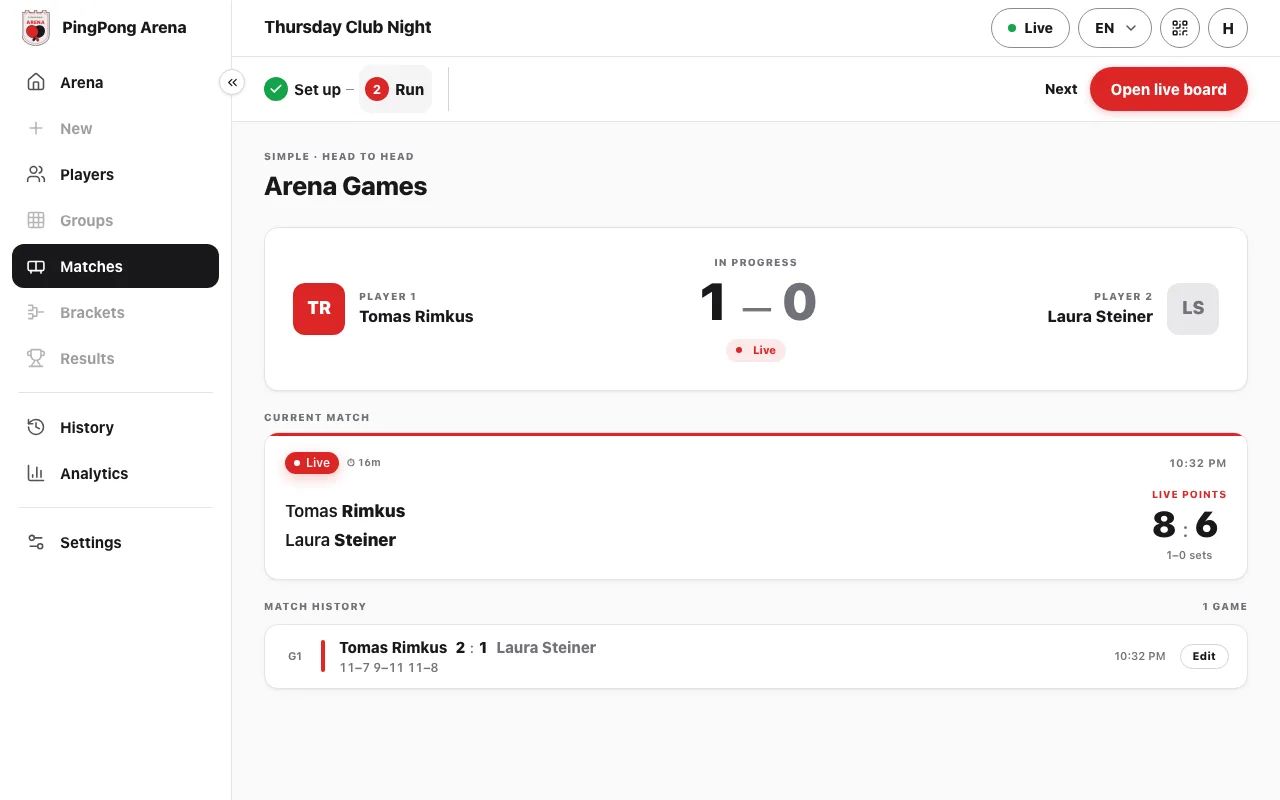
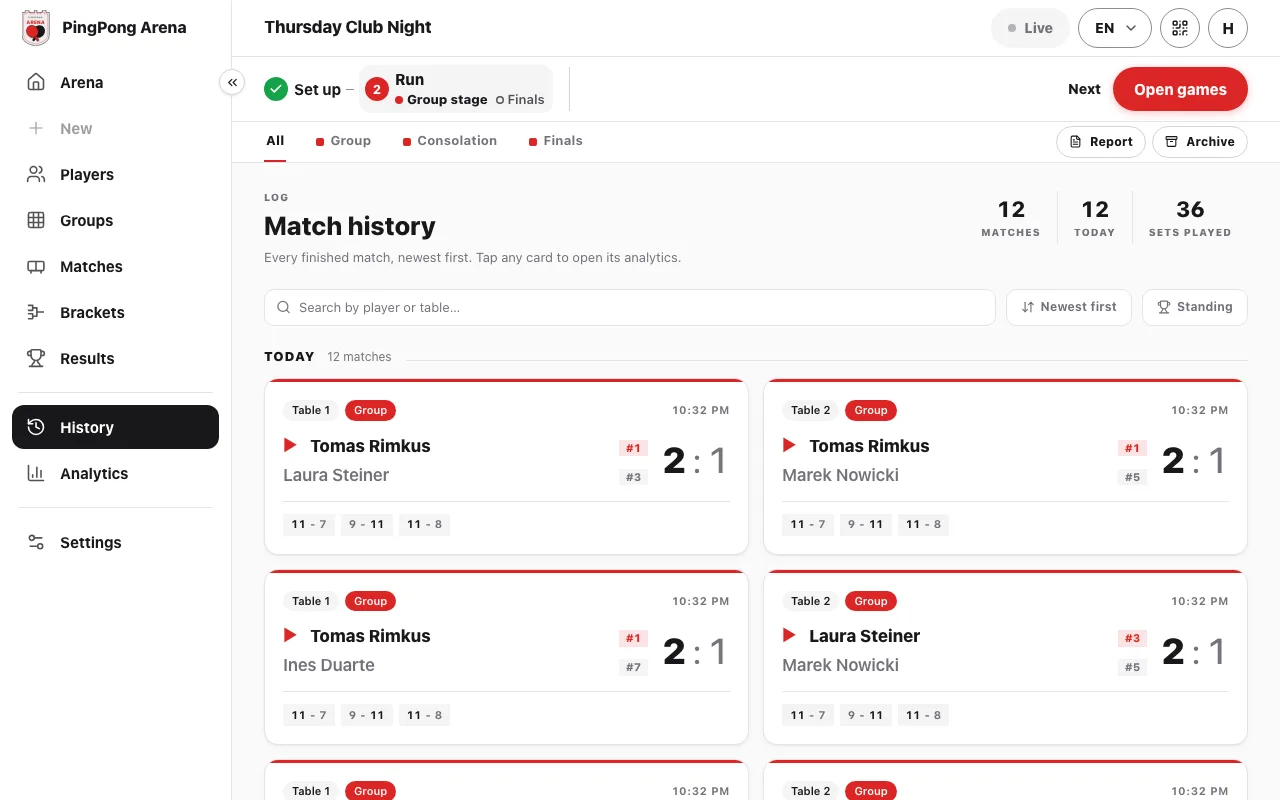
The "Matches" item in the left menu shows "Arena Games": both players with the games each has won, the game in play with its live points and sets, and the match history underneath.
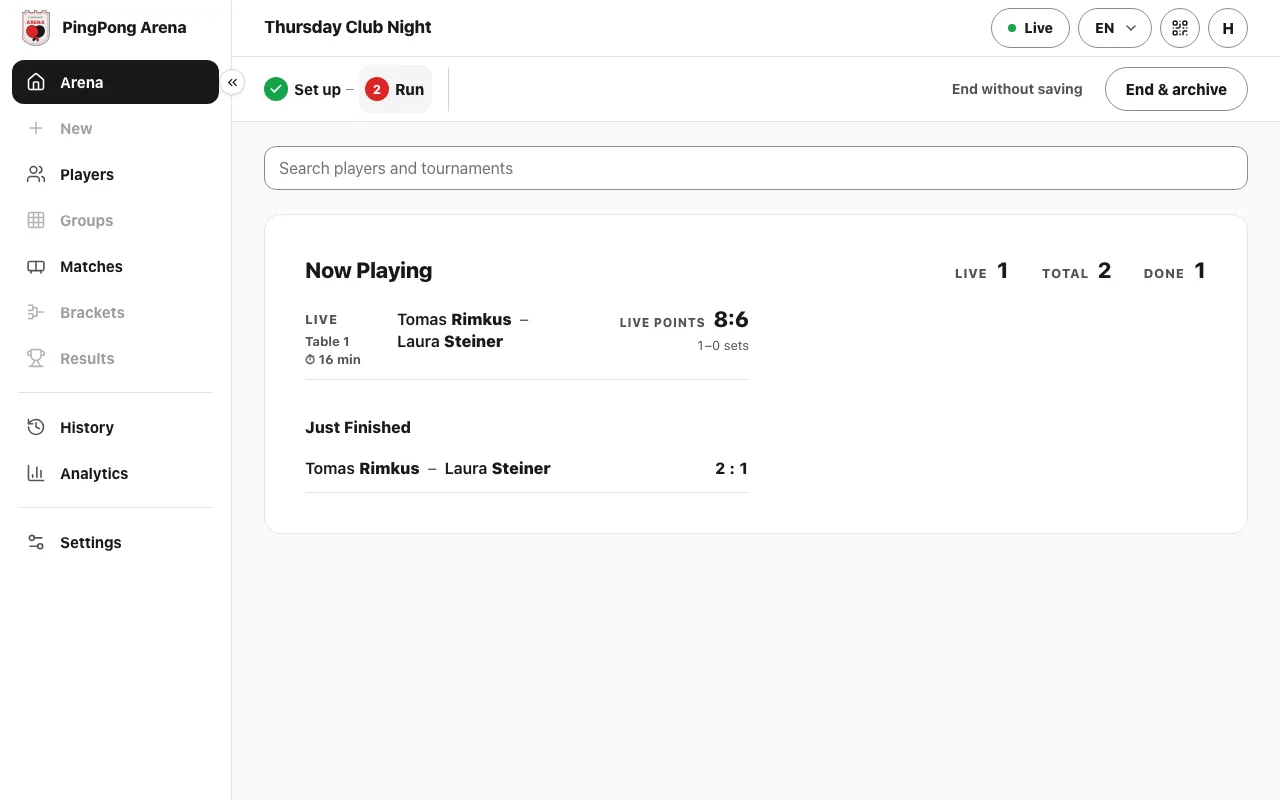
Arena shows the same at a glance: the game live on the table and the latest finished game.
Manage — score point by point
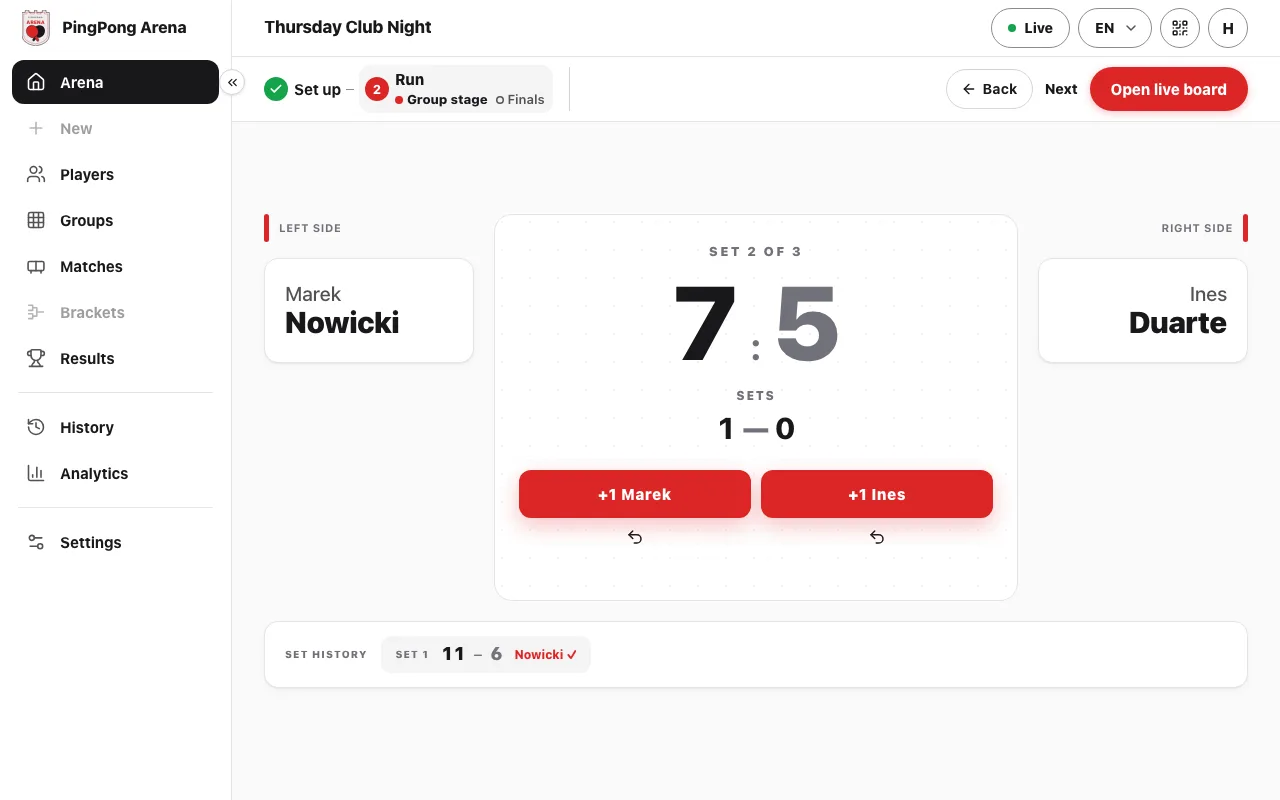
On the live board, tap "+1" under a player for each point; the small back arrow under the button takes a point away. Sets and the set history update on their own. While a game is live, "Open live board" in the steps bar takes you back to it from any page except Arena.
For the next game, open "Matches" and tap "Play Next Game". To correct a finished game, tap "Edit" beside it in the match history.
End — save the games or clear them
When you're done, open Arena and use the end controls at the right end of the steps bar. "End & archive" saves the games to History and clears the scores; "End without saving" clears them and keeps nothing.
See the results
The head-to-head score (games won by each player) is at the top of "Matches". History keeps every game of this session with its set scores. After "End & archive", the session is stored under History → "Archive" and the next session's score starts from 0–0.
Common questions
Can I use Simple for more than two players?
No. Simple is one-on-one. For three or more players choose Groups (everyone plays in groups) or Ladder (a drop-in night where winners climb).
Is Simple free?
Yes. Simple is on every plan, including Free.
How many sets is a match?
You choose. "Best of sets" under the player list sets it before you start: 3 means first to two sets, 5 means first to three.
Someone tapped the wrong score. How do I fix it?
On the live board, the small back arrow under each "+1" button takes the last point away. For a finished match, tap its cell in the group table ("Edit result") and correct the sets.
Is the score kept after we finish?
Yes, if you end with "End & archive": the session's games are saved under History → "Archive" with their set scores, and the next session starts from 0–0. "End without saving" keeps nothing.
Can players follow the results on their phones?
On a paid plan, yes. On Club, or with the €12 single-event pass, "Share arena" (the QR icon in the top bar) gives a link anyone can open in a browser to follow the live results. Share links are not included on the Free plan.